Rapid Response Portal View
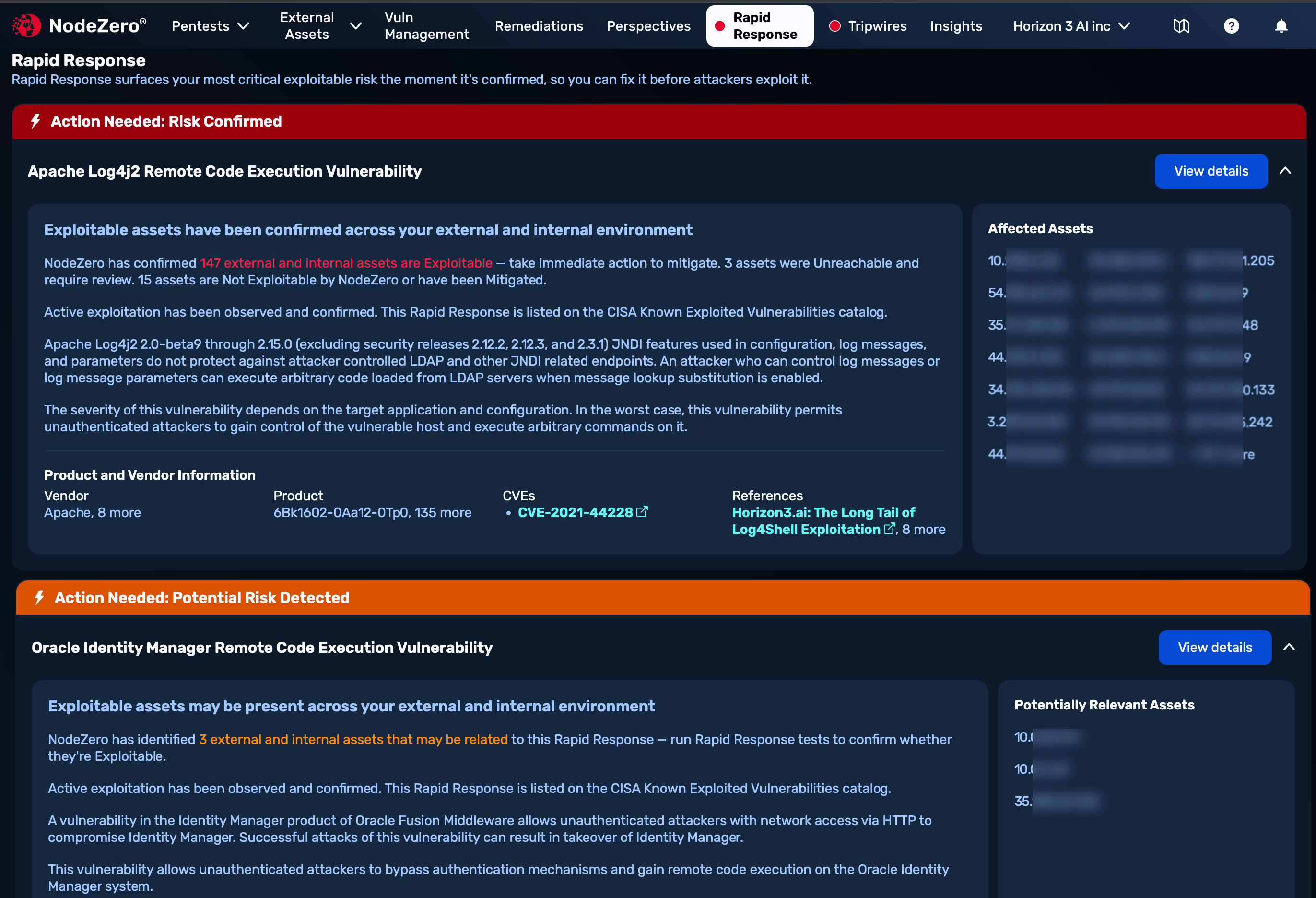
At the top of the NodeZero Portal, select the Rapid Response tab to display all current Rapid Response advisories for your environment in a scrollable, paginated feed. As shown below, cards for individual advisories appear in prioritized order:
-
Action Needed: Risk Confirmed red advisories (where present) appear at the top. These highlight vulnerabilities that (as assessed by Horizon3) place your environment's specific assets at risk of exploitation, based on past NodeZero pentest results.
-
Action Needed: Potential Risk Detected orange advisories (where present) follow all Risk Confirmed cards. These highlight vulnerabilities whose fingerprint matches some of your assets' attributes. They prompt you to run a targeted test (where available) to assess your actual risk.
-
No Exploitability Risk Detected By NodeZero If you see only a green advisory, this is a welcome indication that there is no current known exposure to any existing Rapid Response vulnerabilities.
A green all-clear advisory appears on a shallow card:

Summary Contents
In this summary feed, each advisory generally displays the following information:
-
A description of the vulnerability, of how attackers can exploit it, and of the potential impact of an exploit.
-
A vendor and product affected (from broader lists that you can display on this advisory's Details page).
-
CVE (Common Vulnerabilities and Exposures) or H3 (Horizon3-discovered weakness) identifiers.
-
Most-relevant external reference.
-
A list of your affected assets, by IP address.
Rapid Response Details
Click any advisory's View details button to open a Rapid Response Details page with personalized context about how to eliminate your risk.
Additional Vulnerabilities
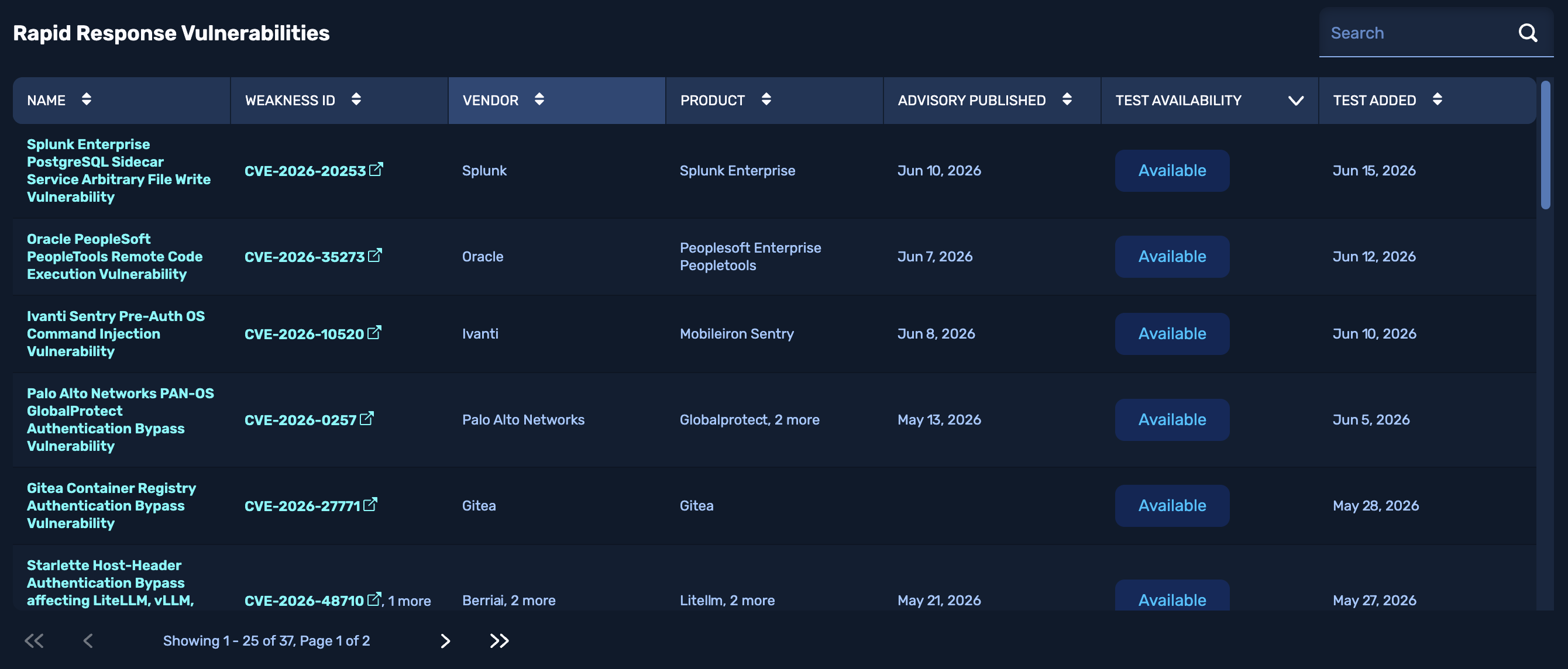
Below your prioritized feed is a Rapid Response Vulnerabilities table that complements it. This compact, paginated table lists Rapid Response advisories that do not (in Horizon3's assessment) appear to affect your environment's assets. In other words, these advisories are not in a Risk Confirmed, Potential Risk Detected, or Regressed state.
This table provides a search field at its upper right, and you can sort the display by most columns. Along with Vendor, Product, and historical columns, you can click into the:
- NAME column to open the corresponding Rapid Response Details page.
- WEAKNESS ID column to open a CVE Catalog (nvd.nist.gov) page in a new tab. (H3 weakness IDs are also displayed in this column, but are not linked or clickable.)
- TEST AVAILABILITY column, where any Available link opens a test configuration modal from which you can launch the related Rapid Response test.