Findings and Results
This reference page explains how NodeZero validates findings, what proof artifacts are included, how results are prioritized, and how findings can be exported and rechecked.
Findings Validation
NodeZero is designed to surface real exploitable vulnerabilities rather than high-volume false positives. Findings should include enough proof for direct review so teams can validate impact without relying on a scanner-only assertion. OWASP references provide taxonomy and context; they do not replace evidence of exploitability, affected scope, or practical impact.
Proof Artifacts
Each finding includes the full request with the payload location highlighted, the full response, a parameters table with name, location, value, and payload, a copyable syntax-highlighted payload, and a screenshot when available.
Findings Prioritization
Findings are ordered by severity (the inherent risk of the vulnerability), exploitability (whether NodeZero confirmed the issue through runtime proof), and practical impact (the realistic consequence of exploitation in your environment). NodeZero emphasizes validated risk and remediation value over raw issue volume. For details on how NodeZero scores weaknesses, see Weakness Scoring.
Summary Tab
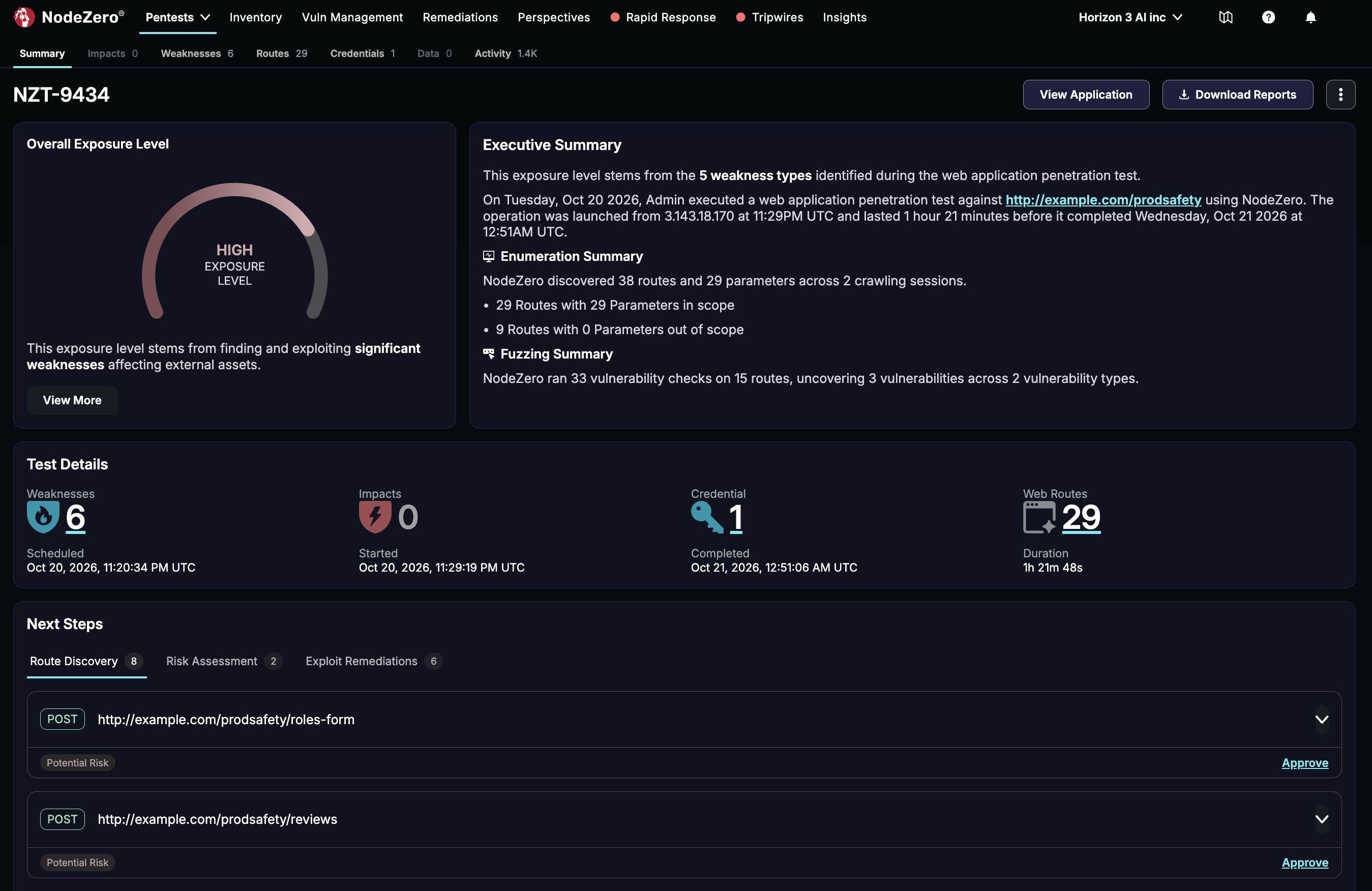
This tab shows a gauge summary of your Overall Exposure Level, a narrative Executive Summary, Test Details counters (for Weaknesses, Impacts, Credentials, and Web Routes), counters for Credentials exploited and used, and a bar graph summarizing MITRE ATT&CK categories that the test acted on.
Next Steps
The Next Steps section provides up to three tabs of specific results that you can act on:
-
Route Discovery – Additional routes that NodeZero found during the test. Click Approve to add a route to the application configuration and include it in future test runs.
-
Risk Assessment – Where NodeZero skipped routes for safety during a test against a production app, this tab shows those route/method combinations. Each row includes details about the reason and risk level behind the omission. Where you accept the potential harm, use the check boxes to add routes to future runs. They'll appear in the app config's Safety Overrides section, where you'll have a second chance to remove them.
-
Exploit Remediations – Recommendations to fix weaknesses that the test discovered, ranked by severity. Click View Weakness to see details on the Weaknesses tab. Click Create Ticket to pre-populate a detailed Jira ticket for your dev team.
Weaknesses and Remediation
Within pentest results, the Weaknesses tab will be populated with any discovered weaknesses. On that page, click into a weakness' Name link to see details about that weakness.
On the resulting details page, you can click + Create Ticket to create a Jira ticket to relay to your dev team, pre-populated with suggested fix actions and relevant references.
Routes Tab
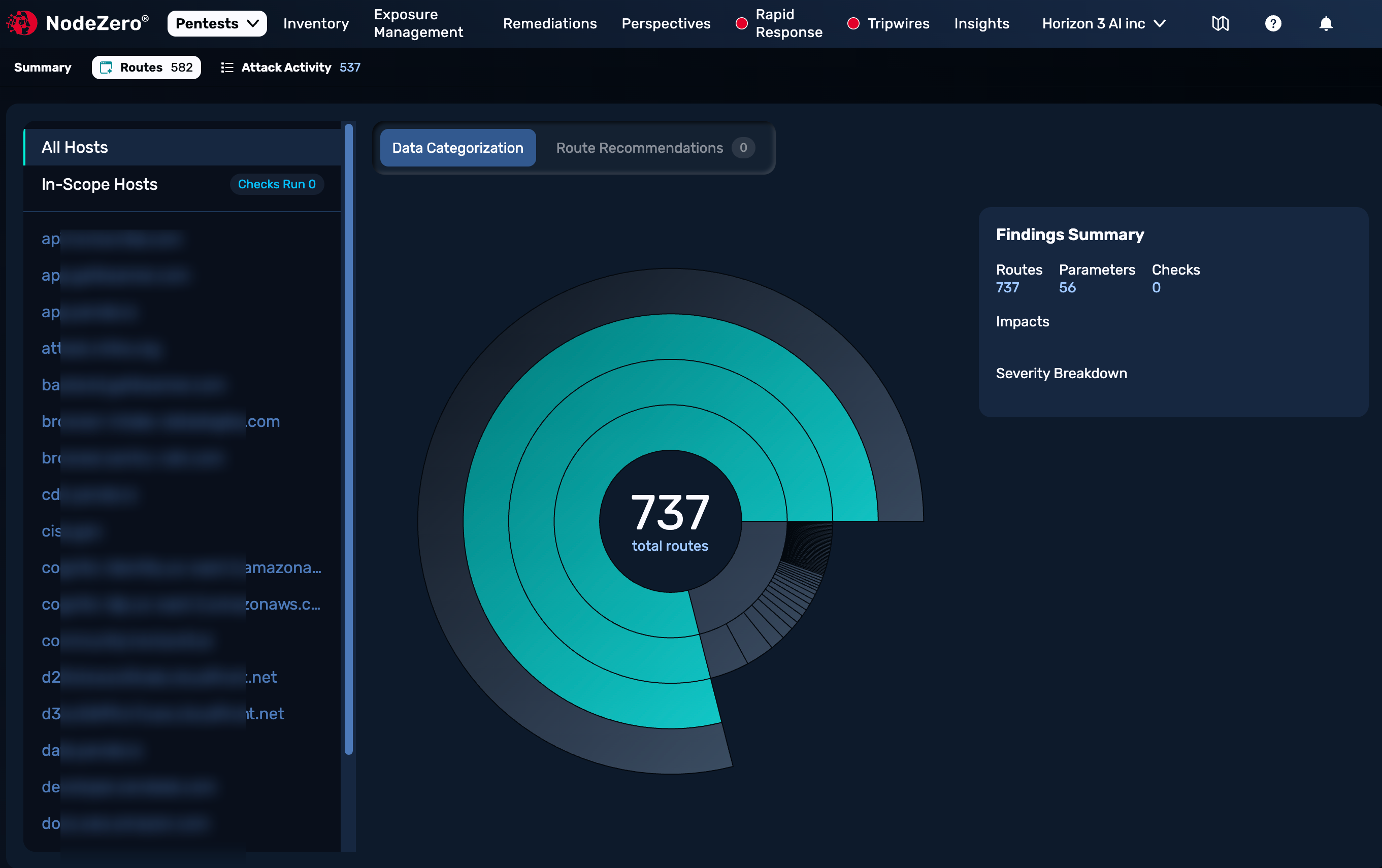
Within test results, the Routes tab provides rich detail. The top of this tab provides a list of in-scope hosts on the left, a sunburst graph that summarizes routes discovery, and a Findings Summary on the right.
Route Coverage
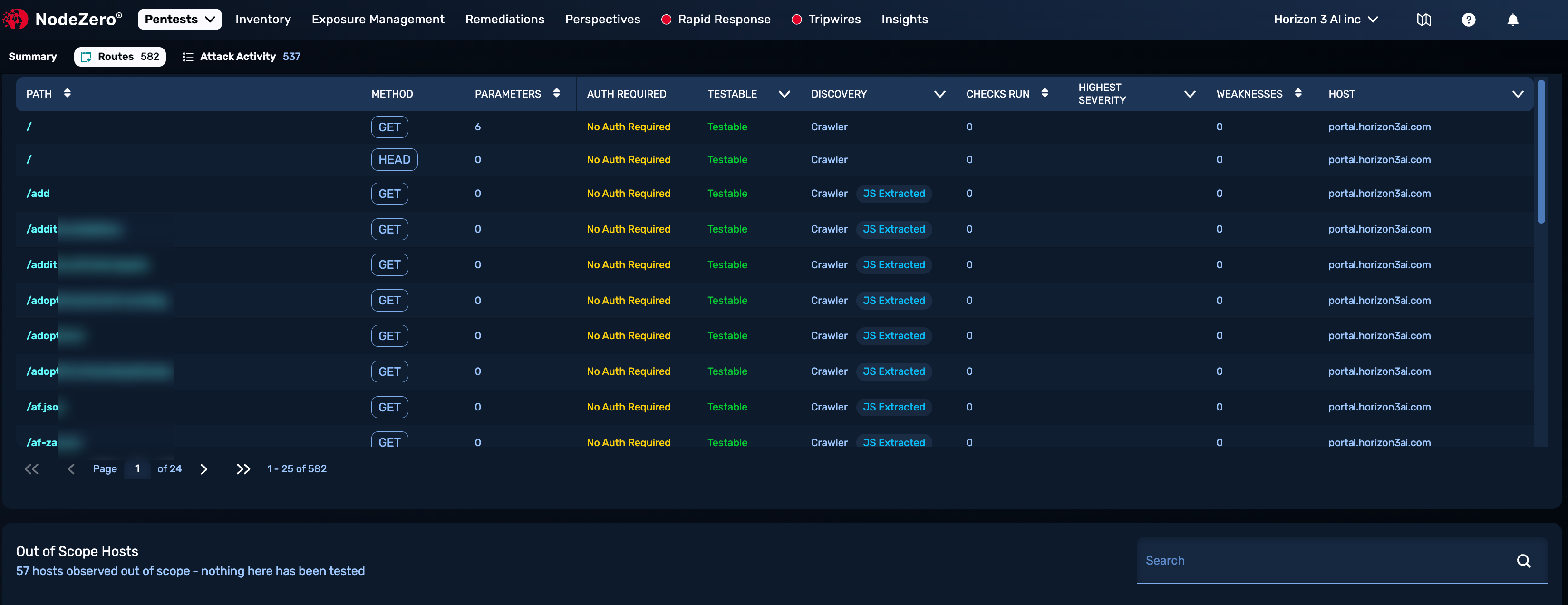
The Routes tab's Route Coverage table shows you routes discovered during the test, with filter buttons and a Search field. This table lists every discovered route with its method, parameters, authentication requirements, testability status, how it was discovered, and any checks run or weaknesses found. Use this view to understand what was reached and tested during a pentest, and where coverage gaps remain.
Negative Findings Count
What's not displayed here is as significant as what's shown: A Weaknesses count of 0 is good news. Routes not included in the table were not discovered within the test's coverage. In all, a WebApp pentest can provide valuable information even when it reports no affirmative findings.
Out-of-Scope Hosts
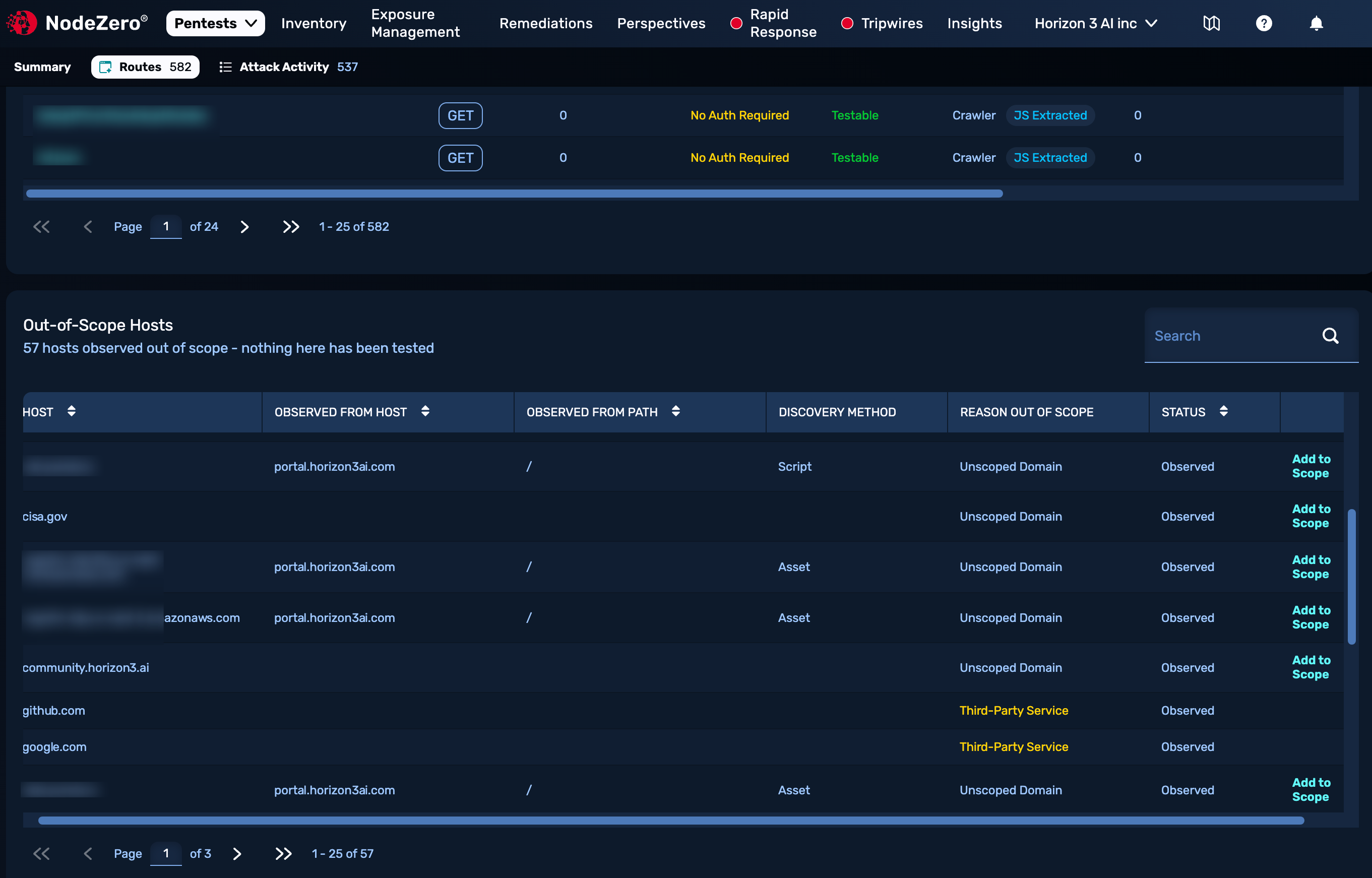
At the bottom of the Routes tab, the Out-of-Scope Hosts table lists hosts outside your designated domain that were discovered during the test, with the corresponding discovery method (asset, script, etc.) In the Reason Out of Scope column, note these different indicators:
Third-Party Service generally indicates a large external domain, which NodeZero determined to be irrelevant to the test and inefficient to test.
Unscoped Domain entries might be relevant to your test if they're subdomains of your designated domain, or if they're critical to your infrastructure. On these rows, you can click Add to Scope to open a version of the application configuration page and add the extra domain to the config. After you resave the application, these domains will appear in its new Alt URLs section, and will be included in future tests.
Fix Verification
Fix verification is performed by re-running the relevant WebApp pentest either ad hoc or on a schedule.
Export Options
Per-finding export bundles can package the request and response, screenshot when available, payload, OWASP reference where applicable, severity, practical impact, and hardening guidance for handoff. Current export targets include Jira, markdown, and PDF.