Rapid Response Asset Details
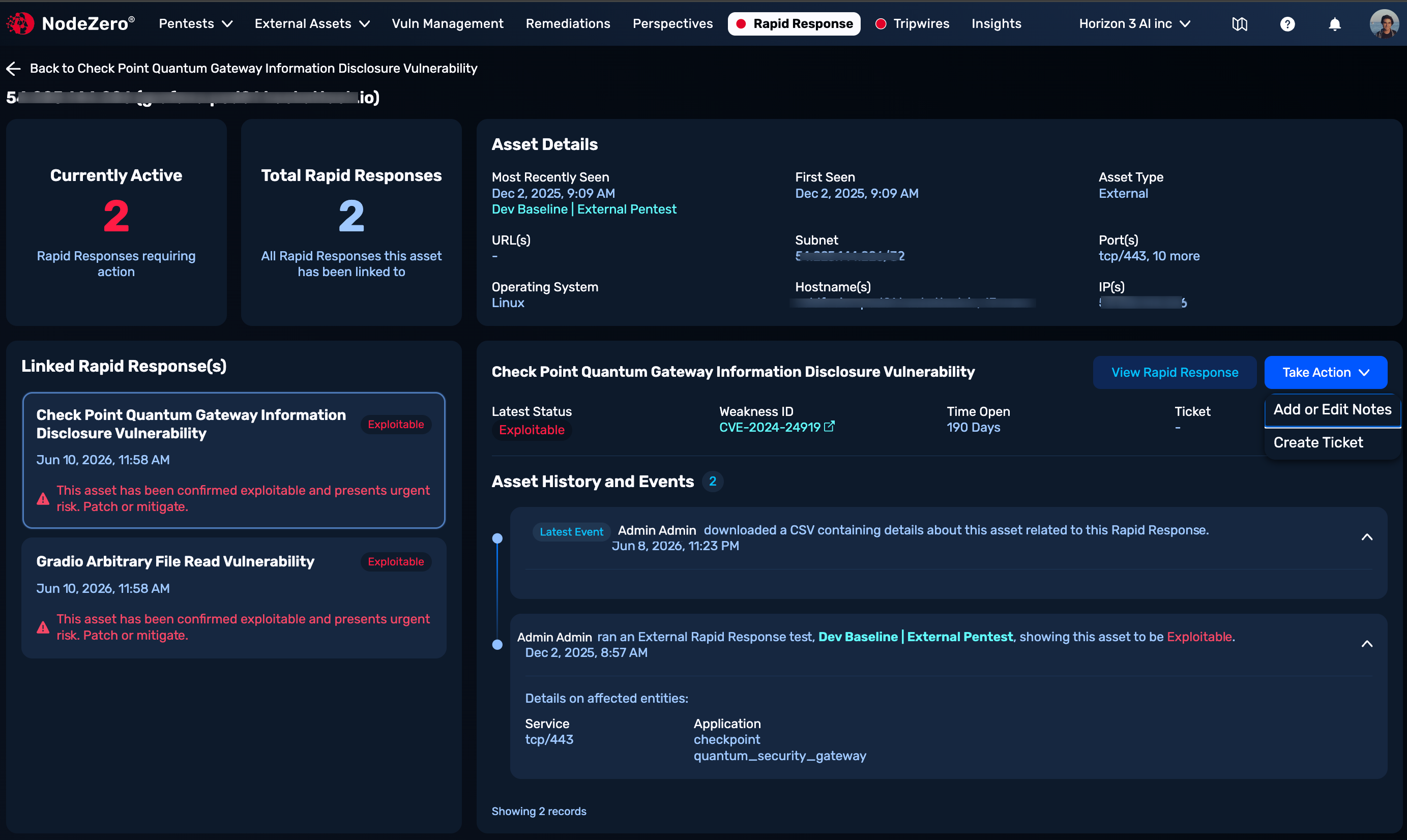
From a Rapid Response Details page's Relevant Assets table, click any asset of interest to see metadata about this specific asset, as shown below.
The top-left panel displays a count of Rapid Response advisories linked to this asset. The top-right panel displays relevant asset metadata and identifiers, with a link to the most recent test run against this asset.
Linked Rapid Response(s)
This lower-left panel displays this asset's exposure status against associated Rapid Response advisories.
Rapid Response Summary
For the selected advisory, this right-hand panel shows this asset's latest vulnerability status, the weakness ID (linked CVE or Horizon3-discovered H3), the time since the weakness was discovered, and any linked ticket in your ticketing system.
Click the View Rapid Response button to see the Rapid Response Details page for this advisory.
Take Action
This drop-down, shown above, provides two options:
-
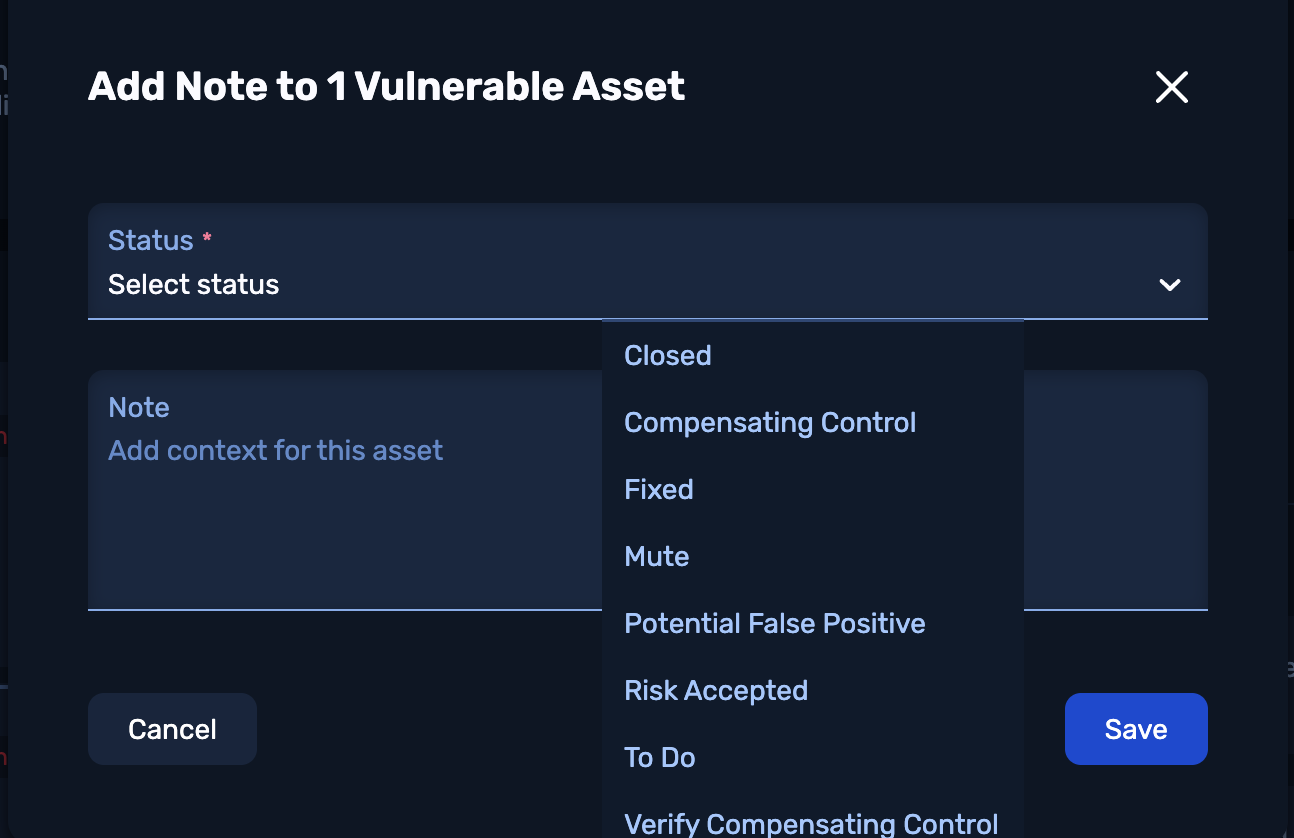
Add or Edit Notes Opens the modal shown below, where you can assign a NodeZero-native status, and enter or update free-text notes.
-
Create Ticket writes an actionable ticket for you in a ticketing system, like Jira, that you've integrated and synced via Vulnerability Management Hub. If you have not integrated a ticketing system, this instead downloads a CSV (comma-separated value) file, containing relevant details to relay to your team to fix the issue(s).
Asset History and Events
At the lower right, this paginated timeline tracks the assessment progress of this asset. Entries might include:
-
Your organization's completed Rapid Response or other NodeZero tests that confirmed this asset's Exploitable (or other) status.
-
The Horizon3 Attack Team's completed tests that identified the asset's exploitability.
-
Your organization's ticket creations, status annotations, and CSV downloads related to this asset.
Cards include a timestamp, the actor who performed the action, and (where applicable) a link to the test results or ticket and a summary of the service and application tested.