Managing Rapid Response
Rapid Response permissions are governed by NodeZero overall access role. Org Admins have the permissions described below, and automatically receive Rapid Response email Notifications. Users receive these emails if enabled by an Admin.
Accessing Rapid Response Settings
Org Admins can control Rapid Response proactive testing for their organization. From your profile at the NodeZero Portal's upper-right corner, select Settings. From the resulting
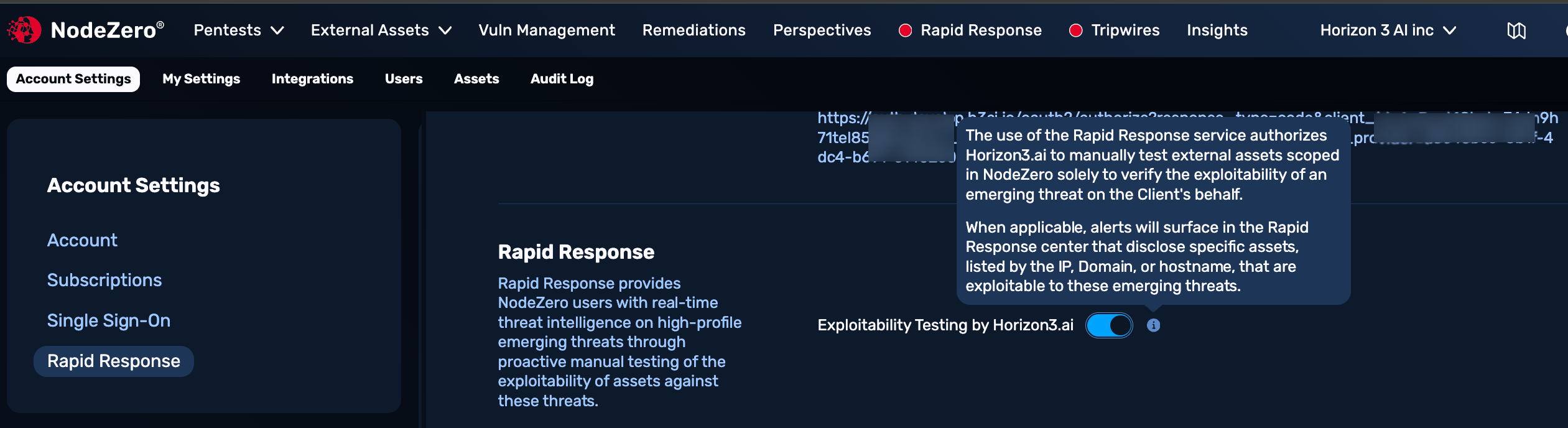
Testing Opt In/Out
Org admins can opt their org in or out of proactive exploitability testing, as shown above. Upon opt-out, you'll see a confirmation banner, with a button to Opt in again.
This is a trade-off: By opting out, you gain stricter control over whether Horizon3 manually touches your internet-facing assets. However, you lose key Rapid Response benefits – Horizon3 testing of external assets as soon as we have a working exploit, along with our ability to immediately provide you with personalized notifications as soon as we confirm your exposure.
Operationally, this forces your team to do more of the first-triage work yourselves, rather than having Horizon3 eliminate that step.
User Notifications
At Settings > Users > Edit User > Rapid Response, Org Admins can grant individual Users full permissions to receive email notifications. Toggle this off to opt a User out of notifications.
Frequently Asked Questions
Why am I not seeing Rapid Response in the NodeZero Portal?
Rapid Response is available on certain account plans, or as an add-on. Contact your Horizon3 representative to add the feature to your account.
Why is it important to frequently? run External Asset Discovery
Refreshing External Asset Discovery often is important in order to nurture Rapid Response with an accurate assets database to monitor for exposure. Within the NodeZero Portal's Rapid Response section, you might see reminders to re-run out-of-date asset discovery.